 StrideReplay
How to film a running gait analysis video
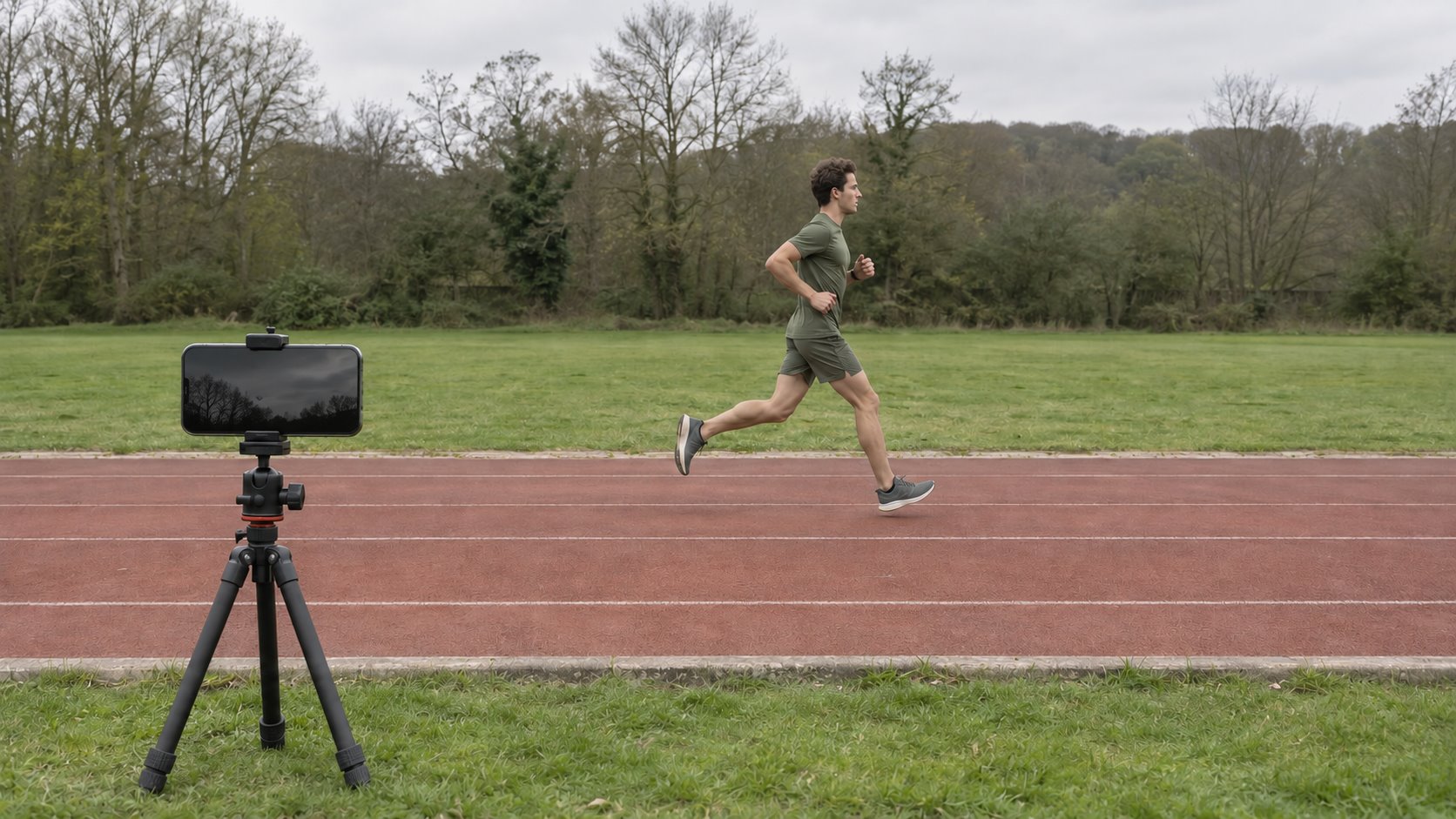
Start with one steady, 5–10 second video from the side. Keep the runner’s whole body, both shoes, and the ground below them visible for several steps.
By StrideReplay
Where to put the camera
- Side view
- Place the phone beside the runner’s path with the lens pointing across it. Keep the phone level and leave room around the runner’s head and feet. A clear profile is the best angle to start with.
- Rear view
- Place the phone directly behind the runner and center the frame on the path of travel. Keep both shoes and the ground visible. You can add this as a second clip in StrideReplay.
Use a tripod or brace the phone on a stable surface. Use even light and film one runner at a time. StrideReplay detects clear camera angles after import.
Treadmill or outdoors?
Treadmill
Set a steady, comfortable pace and wait for it to settle before recording. Check that the treadmill rails and console leave a clear view of the hips, knees, and shoes. Use the same speed when filming a recheck.
Outdoors
Choose a straight, well-lit stretch. Set the phone in a fixed position and run past it at a steady pace. Leave enough space before and after the camera for several steps to stay in frame. Outdoor footage can be used for visual review.
How to fix an unclear clip
- Shoes leave the frame
- Move the phone back and leave space below the feet and above the head.
- Angle unclear
- Move the phone directly to the side or behind the runner. Keep it fixed through the clip.
- Tracking is limited
- Use brighter, even light. Keep the runner large enough in frame and pick a clear background with no other people passing through.
- Too few steps
- Start recording once the runner is at a steady pace. Keep several consecutive steps in view.
Review and repeat your check
On your iPhone or iPad, open StrideReplay, choose the video from Photos, and tap Analyze video. The app shows the detected angle, replay, and any findings the footage supports. For a later comparison, use the same shoes, pace, surface, and camera position.
Use original footage that plays at capture speed if you are trying the optional cadence preview. Cadence and 2D trunk lean estimates depend on suitable footage and are still in internal beta validation.