 StrideReplay
iPhone & iPad
Running gait
analysis from
your own video.
See your stride. Improve your run.
Choose a running clip from Photos, review the evidence in your stride, and get one thing to try on your next run.

From clip to next step
Choose your clip
Pick a running video from Photos. One angle is enough to start.
Analyze on your device
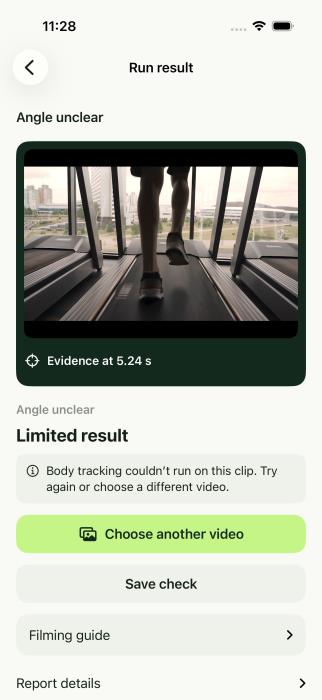
StrideReplay checks the camera angle and looks for the usable evidence in the clip.
Replay and recheck
Review the footage behind your result, try the suggested next step, and record another run when you’re ready.
What StrideReplay can do
Review your own footage
Start with one running video from Photos. StrideReplay identifies a side or rear view when the camera angle is clear. Add a second clip for another perspective.
See where the finding comes from
Replay the analyzed segment and jump to a frame from your clip. Show tracked body landmarks when available and read a coaching cue or a specific filming tip.
Compare checks over time
Film a recheck with the same camera angle, pace, surface, and shoes. Mark a frame in each eligible clip and play the replays together.
Take your report with you
Keep a check on your device or export a PDF with the evidence and available findings. Review replay and findings side by side on a wide iPad screen.
Filming and analysis questions
Do I need a treadmill?
You can review a treadmill or outdoor clip. Use a steady camera and keep your whole body and shoes in frame for several steps. A fixed treadmill setup is useful for repeatable recordings.
Which angles should I film?
Start from the side or directly behind. One video is enough to start. A second angle shows a different view of the stride, and the app labels angles it can identify.
Which measurements are available?
Cadence and 2D trunk lean are opt-in estimates for supported clips in the internal beta. The app explains when the footage does not support a measurement.
Where does my running video go?
StrideReplay analyzes the selected clip on your iPhone or iPad. Saved clips and reports stay on the device. Deleting a saved check removes the app’s copy and keeps the Photos original.
StrideReplay on TestFlight
StrideReplay is currently available to invited internal testers on iPhone and iPad.